
Introduction
Most businesses don’t fail because they lack ideas. They struggle because daily operations become messy as they grow: data is scattered across spreadsheets, emails, and disconnected tools; processes differ by department; and leaders can’t see what’s happening until problems turn into losses.
All-in-one business management software exists to fix that.
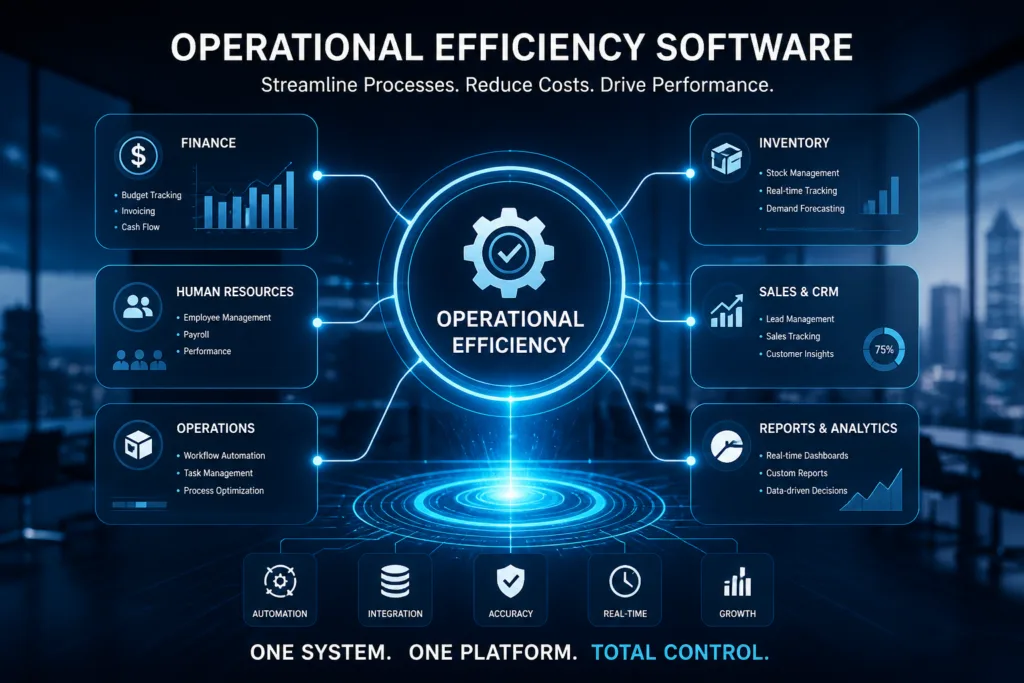
It’s the shift from “a bunch of apps and manual workarounds” to one connected operating system for the business where sales, inventory, purchasing, HR, projects, customer support, approvals, reporting, and dashboards share a single source of truth.
This guide explains what all-in-one business management software is, what it includes, how to evaluate options, and how to implement it successfully—especially for growing companies that need clarity, control, and speed.
What is all-in-one business management software?
All-in-one business management software is a unified platform that helps a company run core operations from one place. Instead of using separate tools for accounting, sales, inventory, HR, and reporting, an all-in-one system brings them together through:
A shared database (one version of the truth)
Integrated workflows (actions in one module update others automatically)
Central reporting and dashboards (real-time visibility)
Role-based access (who can see/do what)
Many all-in-one systems are essentially modern ERP platforms (Enterprise Resource Planning), often combined with CRM features, workflow automation, and analytics.
Why companies adopt all-in-one systems
1. Eliminate operational chaos
Multiple systems create duplicate work and conflicting data. The same customer might exist in two places with different details; stock levels might be wrong; approvals might happen through WhatsApp; and reports take days.
All-in-one systems reduce friction by standardizing processes and centralizing data.
2. Make faster, better decisions
When reporting is delayed, leaders manage by intuition. With unified dashboards, they manage by facts—revenue, pipeline, stock movement, employee performance, and operational bottlenecks in real time.
3. Improve productivity
Automation removes repetitive tasks:
automatic document numbering
automatic stock updates from sales
purchase suggestions based on reorder points
payroll calculations
approval workflows
scheduled reports
4. Reduce risk and improve compliance
A centralized system improves auditability: who changed what, when, and why. That’s essential for internal controls, regulatory requirements, and reducing fraud.
5. Scale without breaking the business
Growth increases complexity. Companies that rely on spreadsheets often hit a ceiling. An integrated system allows scaling without losing control.
What an all-in-one system typically includes
A real all-in-one business platform covers most or all of these modules. The “right mix” depends on your industry and maturity.
1. CRM and sales management
leads and opportunities
quotes and sales orders
customer segmentation
follow-ups and activities
pricing rules and discounts
territory or branch performance
2. Purchasing and supplier management
supplier records and evaluations
purchase requests and approvals
purchase orders
goods receipt and matching
supplier pricing, terms, and contracts
3. Inventory and warehouse management
item master and categories
multi-warehouse and bin locations
batch/serial tracking (if needed)
inventory transfers and adjustments
reorder points and purchase planning
cycle counts and stocktakes
4. Operations and workflows
production or assembly (for manufacturing)
service delivery workflows (for service companies)
internal requests and approvals
scheduling, tasks, and checklists
5. Finance (optional depending on the platform)
Some all-in-one systems include accounting. Others integrate with accounting tools.
If included, common finance capabilities are:
AR/AP
cash and bank
journals and GL
budgeting and cost centers
multi-currency (if relevant)
basic financial statements
6. HR and payroll
employee profiles
attendance and leave
payroll and payslips
contracts and documents
performance reviews
onboarding/offboarding
7. Project management (for project-based businesses)
projects and milestones
tasks and time tracking
project costing
billing and progress tracking
8. Customer service and ticketing (optional)
cases and ticket assignment
SLAs
knowledge base
customer communication history
9. Analytics and dashboards
KPI dashboards per department
drill-down reporting
scheduled reports
forecasting (advanced systems)
Must-have capabilities (non-negotiables)
When teams evaluate software, they often focus on UI or features. But long-term success comes from foundational capabilities.
1. A single source of truth
The system must avoid duplicated data across modules. If sales updates stock but not finance—or HR data is separate—the value collapses.
2. Role-based access and audit trail
You need:
granular permissions (role + screen + action)
audit logs
approval rules
segregation of duties for sensitive actions
3. Flexible workflows and configuration
Every business has unique processes. The system must allow:
custom fields
approval chains
document numbering rules
process customization without constant coding
4. Strong reporting and export options
Reports should be:
real time
filterable
easy to export
consistent across modules
5. Integration readiness
Even all-in-one systems must connect to:
e-invoicing platforms (where required)
payment gateways/banks
POS systems
e-commerce
BI tools
Look for APIs, webhooks, or well-documented integration methods.
6. Scalability: users, branches, and volume
Ask:
Can it handle multiple branches?
Can it handle growth from 10 to 200 users?
What happens when the transaction count increases 10×?
7. Security and reliability
At minimum:
encryption in transit
backups and recovery
uptime monitoring
access controls
data retention policies
Cloud vs on-premise vs hybrid: which is best?
Cloud (SaaS)
Best for most growing businesses:
faster deployment
lower infrastructure burden
updates handled by vendor
access from anywhere
Tradeoffs:
ongoing subscription costs
data residency concerns (depending on laws/clients)
On-premise
Preferred when:
strict data residency or internal policies require it
offline environments
heavy custom integrations inside private networks
Tradeoffs:
higher IT overhead
slower upgrades
more responsibility on your team
Hybrid
Common when:
finance or sensitive data stays internal
operational modules run in cloud
or when transitioning gradually
Who needs all-in-one business management software?
All-in-one systems make the biggest difference in these scenarios:
you have multiple departments and data doesn’t match between them
you operate multiple branches or locations
inventory issues cause stockouts or overstock
reporting takes days and depends on a few “power users”
approvals happen informally (messages, emails) with weak tracking
audits or compliance are becoming more serious
you plan to scale and need standardized processes
If your business is still very small and simple, you may not need a full all-in-one system yet. But once complexity begins, delaying the transition usually increases cost.
How to choose the right system: a practical framework
Step 1: Define your “core workflows”
Don’t start with features. Start with the process:
lead → quote → order → delivery → invoice
purchase request → approval → purchase order → goods receipt
hire → onboarding → attendance → payroll
inventory movements and stocktaking
Write these workflows clearly. Your software must support them.
Step 2: Prioritize modules
Split requirements into:
must-have (day 1)
should-have (phase 2)
nice-to-have (later)
Most failed implementations happen because everything is “priority 1.”
Step 3: Evaluate total cost of ownership (TCO)
Include:
licensing/subscriptions
implementation and training
integrations
data migration
internal time and change management
ongoing support
Cheap software can be expensive if adoption fails.
Step 4: Test real scenarios (proof of concept)
Ask vendors to demonstrate:
your pricing rules
your approval process
your inventory structure
your reporting needs
your permissions
Avoid generic demos.
Step 5: Check vendor maturity and support
You need:
SLA support
roadmap clarity
documentation
local/regional experience (if relevant)
a stable team, not a one-person operation
Implementation: what success looks like
Implementation isn’t “installing software.” It’s redesigning operations around a system.
Phase 1: Discovery and process design
map current workflows
identify inefficiencies
design the future process
agree on policies (approval rules, naming, numbering)
Phase 2: Configuration and setup
company structure (branches, warehouses, cost centers)
roles and permissions
master data setup (items, customers, suppliers)
workflow rules and approvals
Phase 3: Data migration
clean data before migrating
migrate in phases if needed
validate with department owners
reconcile totals (especially inventory and finance)
Phase 4: Training and change management
role-based training
hands-on practice using real cases
champions in each department
clear support channels
Phase 5: Go-live and stabilization
choose a go-live approach (big bang vs phased)
monitor performance and errors
fix workflow gaps quickly
document best practices
Phase 6: Optimization
After go-live:
improve reports and dashboards
automate more workflows
add integrations
expand modules
Common mistakes (and how to avoid them)
Mistake 1: Trying to replicate old chaos digitally
If you had messy processes, software won’t fix them automatically. Use the system as a chance to standardize.
Mistake 2: Over-customization too early
Excessive customization slows deployment and creates upgrade problems. Start with configuration first, then refine.
Mistake 3: Poor data quality
Bad data creates bad outcomes. Clean the master data before migration.
Mistake 4: Weak ownership
Every module needs a business owner. IT cannot “own” operational decisions alone.
Mistake 5: Ignoring adoption
The best software fails if users don’t adopt it. Training and change management are non-negotiable.
ROI: how all-in-one systems pay off
Return on investment usually comes from:
reduced manual work and duplicate entry
fewer inventory errors and losses
better purchasing decisions (less overstock/stockouts)
faster billing and collections
improved employee productivity
reduced compliance risk
better decisions based on accurate data
In many cases, ROI is less about “saving money” and more about “unlocking growth” safely.
A practical checklist before you buy
Use this checklist to evaluate any all-in-one platform:
Can it handle multi-branch and multi-warehouse?
Does it provide strong permissions and audit trail?
Are workflows configurable (approvals, numbering, rules)?
Can it integrate easily (API/webhooks)?
Does it provide reliable reporting and dashboards?
Is the UI usable for non-technical users?
What is the vendor’s support and SLA?
How does it handle scalability (users + transactions)?
Is data migration supported and structured?
Is it aligned with regional compliance needs (if relevant)?
Conclusion
All-in-one business management software is best viewed as a company’s operating system: it connects departments, automates workflows, centralizes data, and gives leaders real-time visibility. For growing businesses, it’s often the difference between scaling with control or scaling into chaos.
If you’re evaluating systems, focus less on the longest feature list and more on:
process fit
integration capability
reporting quality
permissions and auditability
implementation support
adoption strategy
Many businesses in the region choose modern, integrated platforms that unify operations, HR, inventory, reporting, and workflows in one environment—especially when they need a practical system designed around local business realities. For companies exploring a unified approach to managing their operations, you can learn more about comprehensive business systems at
Software Company in Jordan