
Executive Summary (Quick Read)
Workflow automation is the practice of designing, executing, and managing business processes using digital systems so tasks move automatically between people, departments, and systems based on predefined rules. Companies that automate workflows reduce delays, minimize errors, improve control, and scale operations without increasing complexity. This guide explains what workflow automation is, how it works, where to apply it, common mistakes, and how integrated enterprise systems make automation sustainable.
Introduction: Why Workflow Automation Has Become a Business Necessity
In many organizations, work still moves through emails, spreadsheets, verbal approvals, and manual handovers. These methods create delays, errors, lack of accountability, and operational risk.
As businesses grow, these inefficiencies multiply:
-
Approvals slow down decisions
-
Data is entered multiple times
-
Responsibilities become unclear
-
Management loses visibility
Workflow automation addresses this problem by turning work into structured, automated flows that run consistently, transparently, and efficiently across the organization.
What Is Workflow Automation?
Workflow automation is the use of digital systems to automatically execute business processes according to predefined rules, triggers, and approvals without relying on manual coordination.
A workflow typically includes:
-
A trigger (event or action)
-
A sequence of steps
-
Assigned roles or systems
-
Approval rules
-
Outcomes and notifications
Once automated, the workflow runs the same way every time, ensuring consistency and control.
Workflow Automation vs. Task Automation
It is important to distinguish between the two:
-
Task automation automates a single action (e.g., sending an email, generating a report).
-
Workflow automation automates an entire process end-to-end (e.g., purchase request → approval → order → receipt → accounting entry).
True operational efficiency comes from workflow automation, not isolated task automation.
Why Companies Automate Workflows
Organizations adopt workflow automation to:
-
Reduce manual effort and errors
-
Speed up approvals and execution
-
Enforce policies and controls
-
Improve transparency and accountability
-
Enable scalability without adding staff
-
Gain real-time process visibility
Automation transforms operations from reactive to predictable.
Common Business Areas for Workflow Automation
1. Finance and Accounting Workflows
Finance is one of the most automation-ready areas.
Typical automated workflows include:
-
Expense approvals
-
Vendor invoice approvals
-
Payment authorization
-
Journal entry validation
-
Budget approvals
Automation ensures financial discipline and audit readiness.
2. Procurement Workflows
Manual procurement leads to cost leakage and delays.
Automated procurement workflows include:
-
Purchase request submission
-
Multi-level approvals based on value
-
Purchase order creation
-
Goods receipt confirmation
-
Invoice matching
This creates a controlled and traceable purchasing cycle.
3. Sales and Order Processing
Sales workflows often span multiple departments.
Automation enables:
-
Quote approval based on pricing rules
-
Sales order validation
-
Credit limit checks
-
Automatic invoicing
-
Order fulfillment coordination
This reduces revenue leakage and improves customer experience.
4. Inventory and Operations
Inventory workflows benefit greatly from automation.
Examples:
-
Stock movement approvals
-
Reorder triggers
-
Transfer requests
-
Adjustment approvals
Automation maintains inventory accuracy and accountability.
5. Human Resources Workflows
HR processes are often highly repetitive.
Common automated HR workflows:
-
Leave requests and approvals
-
Employee onboarding
-
Payroll approvals
-
Policy acknowledgments
Automation reduces administrative burden and ensures compliance.
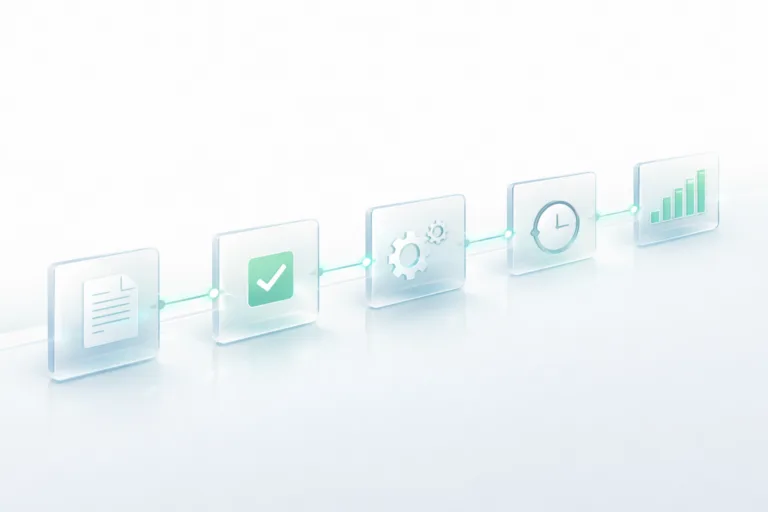
How Workflow Automation Works (Conceptually)
-
Trigger
An event starts the workflow (e.g., a request submission). -
Rules and Conditions
The system evaluates conditions (amount, role, department). -
Approvals or Actions
Tasks are routed automatically to the right people or systems. -
Execution
Approved actions are executed (posting, ordering, payment). -
Tracking and Reporting
Every step is logged and visible in real time.
This structure removes ambiguity and manual follow-up.
The Technology Behind Workflow Automation
Workflow Engines
Workflow engines manage routing, approvals, and logic.
They define:
-
Who approves what
-
Under which conditions
-
In what sequence
Centralized Data
Automation requires a single source of truth. Disconnected systems break workflows.
Role-Based Access Control
Permissions ensure tasks go to the right users with full audit trails.
Notifications and Alerts
Users are notified automatically, eliminating manual reminders.
Step-by-Step: How Companies Implement Workflow Automation Successfully
Step 1: Identify High-Impact Processes
Start with processes that are:
-
Frequent
-
Time-consuming
-
Error-prone
-
Approval-heavy
Avoid automating rare or unstable processes first.
Step 2: Map the Current Workflow
Document:
-
Who does what
-
Where delays occur
-
Which approvals are required
-
What data is involved
You cannot automate what you do not understand.
Step 3: Simplify Before Automating
Automation magnifies complexity if processes are poorly designed.
Successful companies:
-
Remove unnecessary steps
-
Clarify responsibilities
-
Standardize rules
Step 4: Choose the Right Platform
Workflow automation works best inside integrated enterprise systems, not disconnected tools.
Integrated platforms allow workflows to:
-
Touch finance, inventory, sales, and HR
-
Post transactions automatically
-
Maintain consistent data
Step 5: Test, Train, and Roll Out Gradually
Pilot workflows first, gather feedback, then expand.
User adoption is critical to success.
Common Mistakes in Workflow Automation
Automating Bad Processes
Automation does not fix broken logic—it amplifies it.
Over-Engineering Workflows
Too many approval levels slow down operations.
Ignoring Exception Handling
Every workflow needs clear exception paths.
Using Disconnected Tools
Standalone automation tools create silos instead of efficiency.
Benefits of Workflow Automation for Management
-
Faster decision cycles
-
Better compliance and auditability
-
Clear accountability
-
Real-time operational visibility
-
Predictable execution
Management gains control without micromanagement.
Workflow Automation and Scalability
As companies grow:
-
Transaction volume increases
-
Approval complexity grows
-
Risk exposure expands
Automated workflows allow companies to scale without adding chaos or headcount, making growth sustainable.
Why Integrated Enterprise Systems Matter
Workflow automation is most effective when embedded in enterprise-wide systems that connect:
-
Financial transactions
-
Operational data
-
Reporting and analytics
This is why many organizations implement workflow automation through integrated enterprise platforms such as those provided by Mozon Technologies, where workflows span finance, procurement, inventory, sales, HR, and reporting within one unified system architecture.
Frequently Asked Questions (FAQ)
What is workflow automation?
Workflow automation is the use of digital systems to automatically manage and execute business processes based on predefined rules and approvals.
Is workflow automation only for large companies?
No. Small and medium businesses often benefit the most because automation removes manual bottlenecks early.
How long does it take to implement?
Simple workflows can be automated in weeks, while complex enterprise workflows may take longer depending on scope.
Does automation eliminate jobs?
Automation removes repetitive tasks, allowing employees to focus on higher-value work.
What is the biggest success factor?
Clear processes, integrated systems, and strong user adoption.
Conclusion: Workflow Automation Is a Strategic Capability
Workflow automation is not just about efficiency it is about control, consistency, and scalability.
Companies that automate workflows successfully move from:
-
Manual coordination → systematic execution
-
Delays → speed
-
Errors → accuracy
-
Chaos → control
When workflow automation is built on integrated enterprise systems with deep operational understanding such as those developed by Mozon Technologies it becomes a long-term strategic advantage, not just a technical feature.